MMDET Models
In this article we show you how you can use models that were trained with the MMDET framework. For the spine detection task we trained four different models:
- Faster RCNN
- Cascade RCNN
- Deformable DETR
- CO-DETR
Model implementations
In MMDET each model implementation is described by a configuration file. Below you can see a list of all the models that have been trained on the spine dataset and are supported by the MMDET docker container.
Faster RCNN
| Model | Configfile |
|---|---|
| faster_rcnn | faster_rcnn_r50_fpn_1x_coco |
| faster_rcnn | faster_rcnn_r101_fpn_1x_coco |
| faster_rcnn | faster_rcnn_x101_32x4d_fpn_1x_coco |
| faster_rcnn | faster_rcnn_x101_64x4d_fpn_1x_coco |
Cascade RCNN
| Model | Configfile |
|---|---|
| Cascade RCNN | cascade_rcnn_r50_fpn_1x_coco |
| Cascade RCNN | cascade_rcnn_r101_fpn_1x_coco |
| Cascade RCNN | cascade_rcnn_x101_32x4d_fpn_1x_coco |
| Cascade RCNN | cascade_rcnn_x101_64x4d_fpn_1x_coco |
Deformable DETR
| Model | Configfile |
|---|---|
| Deformable DETR | deformable_detr_r50_16x2_50e_coco |
| Deformable DETR | deformable_detr_refine_r50_16x2_50e_coco |
| Deformable DETR | deformable_detr_twostage_refine_r50_16x2_50e_coco |
Co-DETR
| Model | Configfile |
|---|---|
| Co-DETR | co_dino_5scale_swin_large_16e_o365tococo_spine |
Configure the MMDET docker container
First we need to add the MMDET image to a docker compose file. Have a look at the docker-compose.yml file in this repository. The following section should be part of this file:
services:
  mmdet:
    image: tnodecode/spine-co-detr
    hostname: spine-co-detr
    ports:
      - 8081:80
    volumes:
      - ./available_models.yml:/app/available_models.yml
      - ./models/mmcv:/app/runs
This means when you run the docker environment with the command docker compose up -d a docker container based on the image tnodecode/spine-co-detr is started. It will run on port 8081 on your machine. Also two directories will be mapped into the container. First the available_models.yml file in the root directory of this repository will be mapped to the /app/available_models.yml directory inside of the container. Also the directory ./models of this repository will be mapped to the /app/runs directory inside the container. This means if you have a model weight file on this machine placed in ./models/mmvc/my_weights.pth it will be available in the container under /app/runs/my_weights.pth.
Updating the docker image
You can update the MMDET docker image by running th e command docker pull tnodecode/spine-co-detr in your terminal. Sometimes docker compose doen't check for newer versions of the docker images.
Configuring the available models
Next we need to tell the container which models we have trained and where the weight files of these models are. This is what the available_models.yml file is resposible for. For each available weight file we need to create an entry like the following one in this file:
faster-rcnn-r50:
  config: ./configs/faster_rcnn/faster_rcnn_r50_fpn_1x_coco.py
  weights: ./runs/faster_rcnn_r50_fpn_1x_coco/epoch_9.pth
Each entry needs to have a unique key like faster-rcnn-r50 in this example. The key can be chosen freely. Each key has an attribute named config and an attribute named weights. The config attribute points to the configuration file inside of the docker container. Usually in MMDET configuration files are places in the subdirectory ./configs/<model_name>/<config_file>.py. Replace <model_name> with one of the supported model names from the table above and <config_file> with the corresponding configuration file name. For the weights parameter add the path relative to the /app directory of the weight file. As we explained earlier a weight file that is stored under ./models/mmcv/faster_rcnn/faster_rcnn_r50_fpn_1x_coco/epoch_9.pth in this repository will be mapped to the path /app/runs/faster_rcnn/faster_rcnn_r50_fpn_1x_coco/epoch_9.pth inside of the docker container, so the path relative to /app would be ./runs/faster_rcnn/faster_rcnn_r50_fpn_1x_coco/epoch_9.pthin this case.
Exploring the OpenAPI interface of the docker container
The REST-API that was built around the MMDET library supports a documentation format called OpenAPI. OpenAPI is a web interface that can be used for testing a REST-API. When the docker container is started this OpenAPI interface will be available at http://localhost:8081/docs.
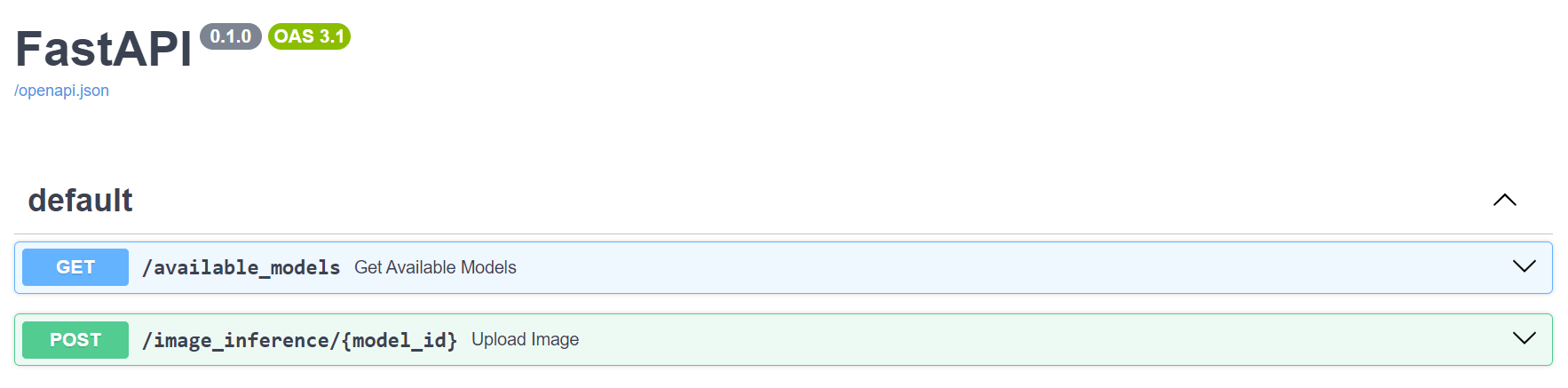
Get all available models
If you have added all your available model weight files to the available_models.yml file you can test if they are recognized by the docker container using the OpenAPI interface. Click on the GET /available_models section and then on the Try it out button and finally on the Execute button.
You should then see the response of the REST-API which should be a list of all your keys that are defined in available_models.yml.
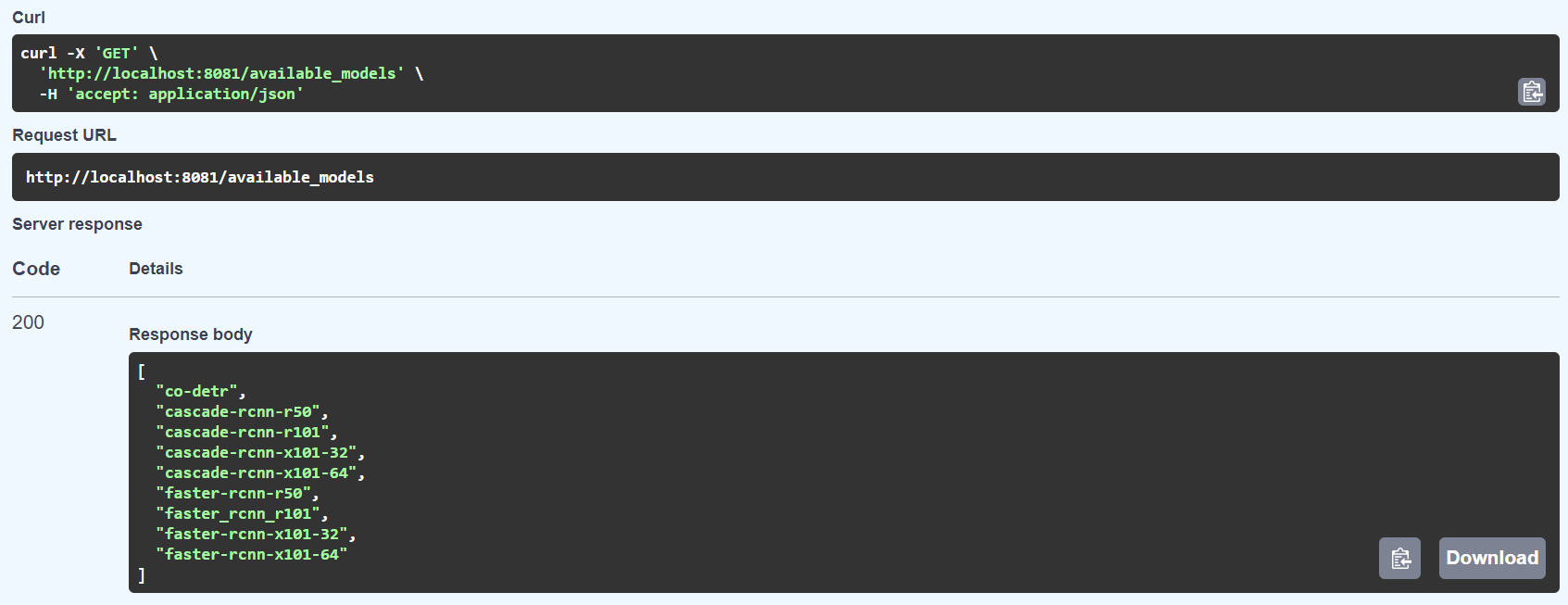
Testing model inference
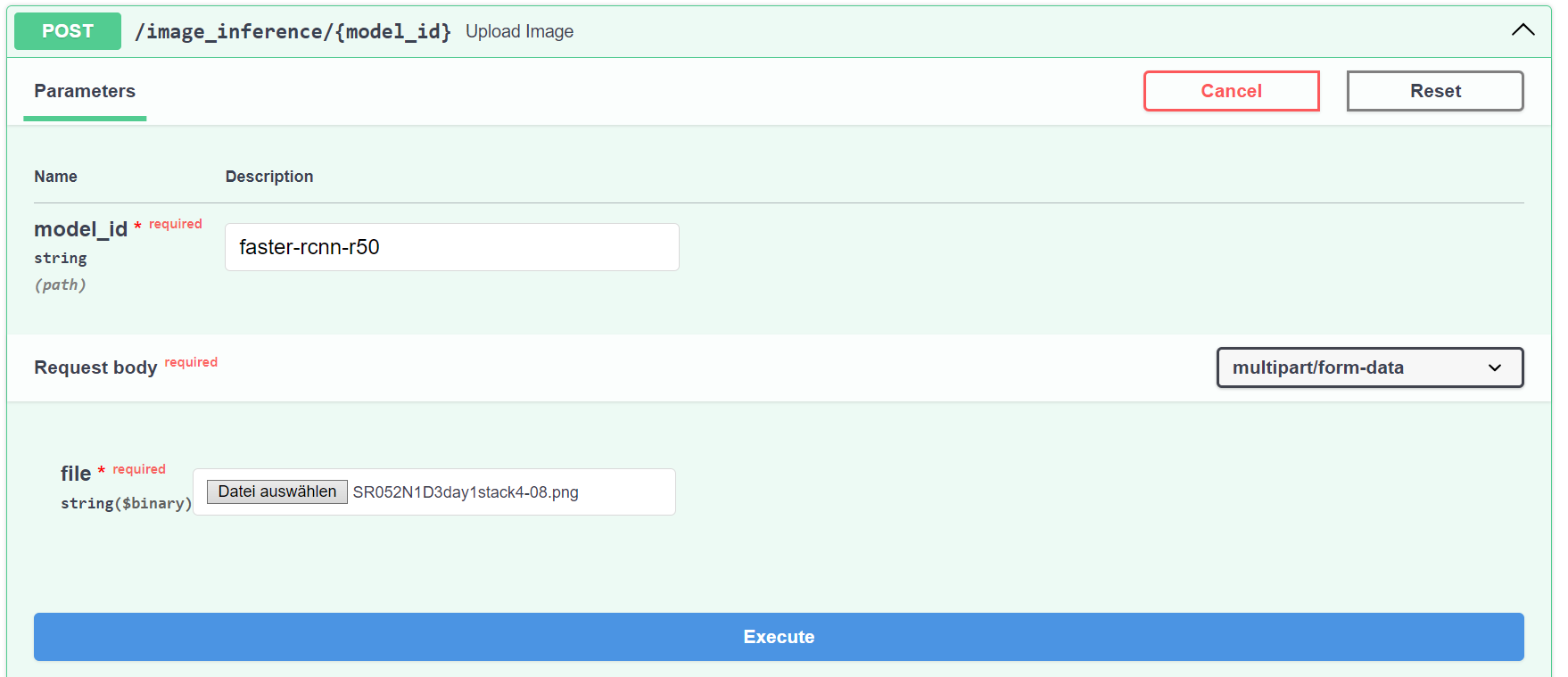
There is a second endpoint the REST-API provides that can accept an image and returns a list of bounding boxes. Click on the POST /image_inference/{model_id} section, then on Try it out. In the model_idfield enter one of the names that were returned by the /available_models endpoint, which should correspond to the keys in available_models.yml. Next click on the file input and select one image that should be sent through the model. Finally click on the Execute button.
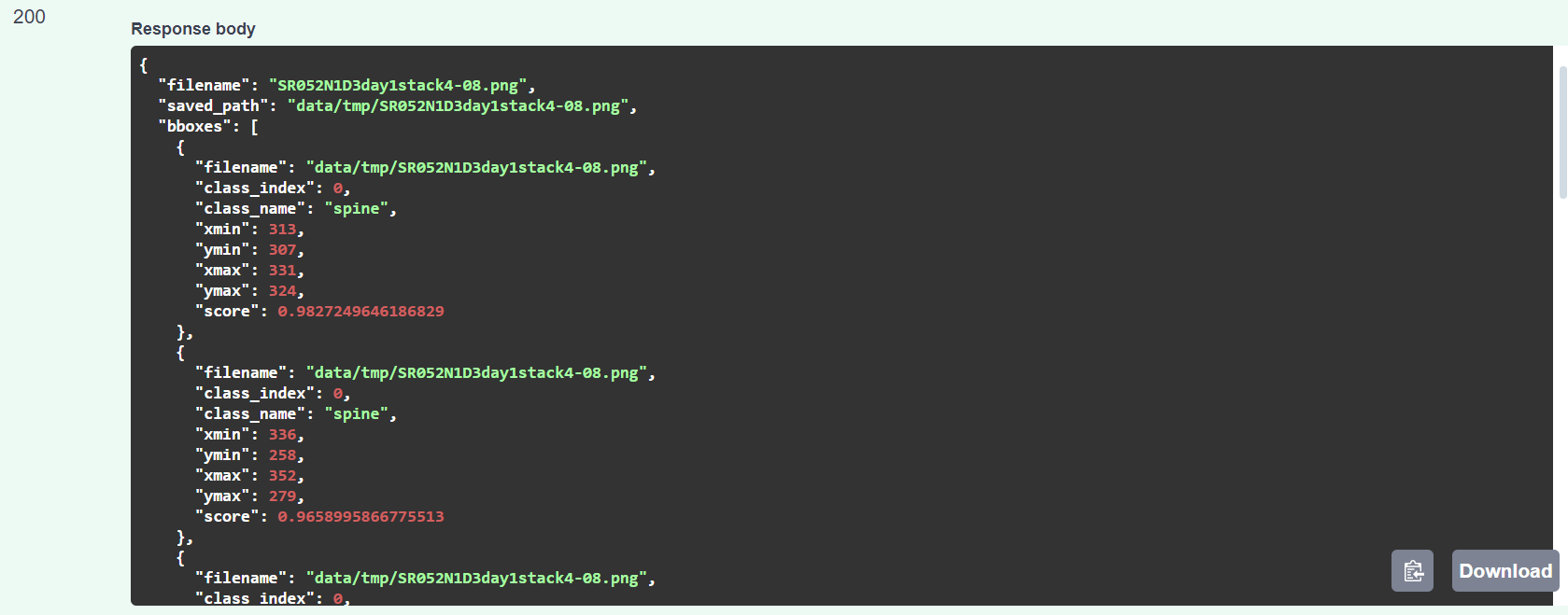
After a few seconds the model should return a list of detected bounding boxes which could look like this:
Using the MMDET models in SpineUI
First we need to tell SpineUI under which address the MMDET docker container can be found. Each docker container that provides a REST-API with routes for available models and image inference can be registered in the configuration file ./config/models.yml.
When using the default docker-compose file the MMDET contaier is reachable under http://localhost:8081 in the browser. But when SpineUI itself runs within a docker container localhost is not the same for SpineUI as for our browser. The docker containers can find other docker containers that were created by the same docker-compose file via the container hostnames, which means that we have to use the address http://mmdet:80 in the configuration file.
Add the MMDET REST-API to this configuration file:
models:
  - name: MMDET Docker
    url: http://mmdet:80
Now you can use the docker container in the Model Infrerence view of SpineUI.
Using Python to send images to the REST-API
You can also use the REST-API interface in Python scripts like in the following example:
import requests

file_path = './path/to/image.png'
model_name = 'faster-rcnn-r50'

with open(file_path, 'rb') as file:
    url = f"http://localhost:8081/image_inference/{model_name}"
    response = requests.post(url, files={'file': file})

data = response.json()
bboxes = data['bboxes']

# Iterating over bounding boxes
for bbox in bboxes:
    filename = bbox['filename']
    class_index = int(bbox['class_index'])
    class_name = bbox['class_name']
    xmin = int(bbox['xmin'])
    xmax = int(bbox['xmax'])
    ymin = int(bbox['ymin'])
    ymax = int(bbox['ymax'])
    score = float(bbox['score'])